
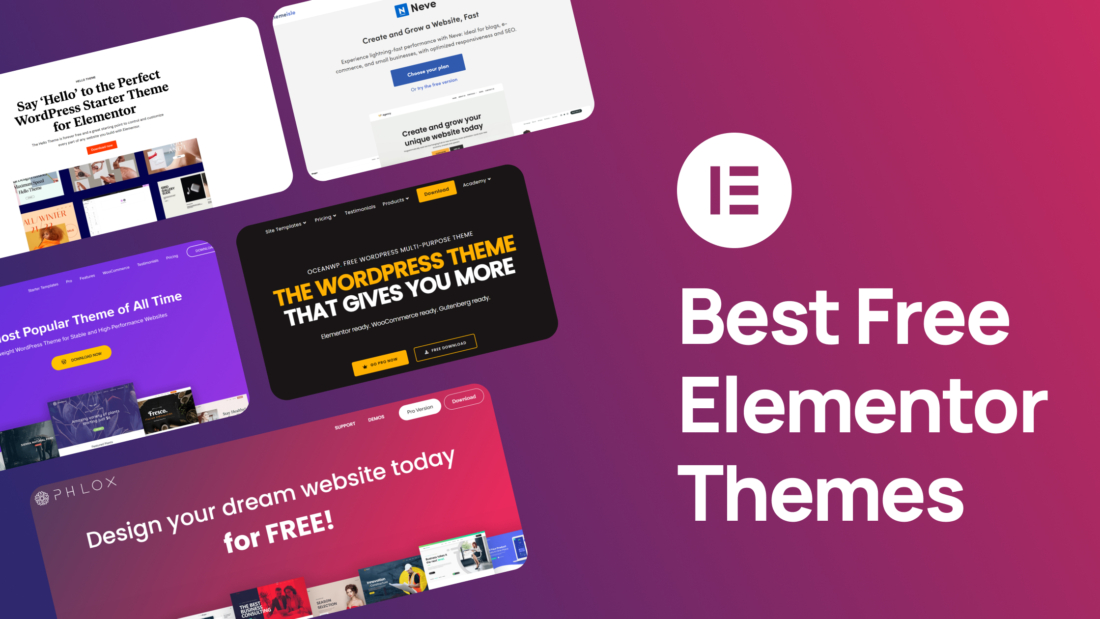
Best Free Elementor themes

Best Free Elementor Themes

Elementor has revolutionized the way WordPress users create and customize their websites. With its intuitive drag-and-drop interface and powerful features, Elementor empowers users to design stunning, professional-looking pages without the need for extensive coding knowledge. To complement the capabilities of this versatile page builder, a well-chosen theme can significantly enhance your website’s overall appearance, functionality, and performance.

In this article, we’ll explore some of the best free Elementor themes available, each offering unique features and benefits to suit different website needs.
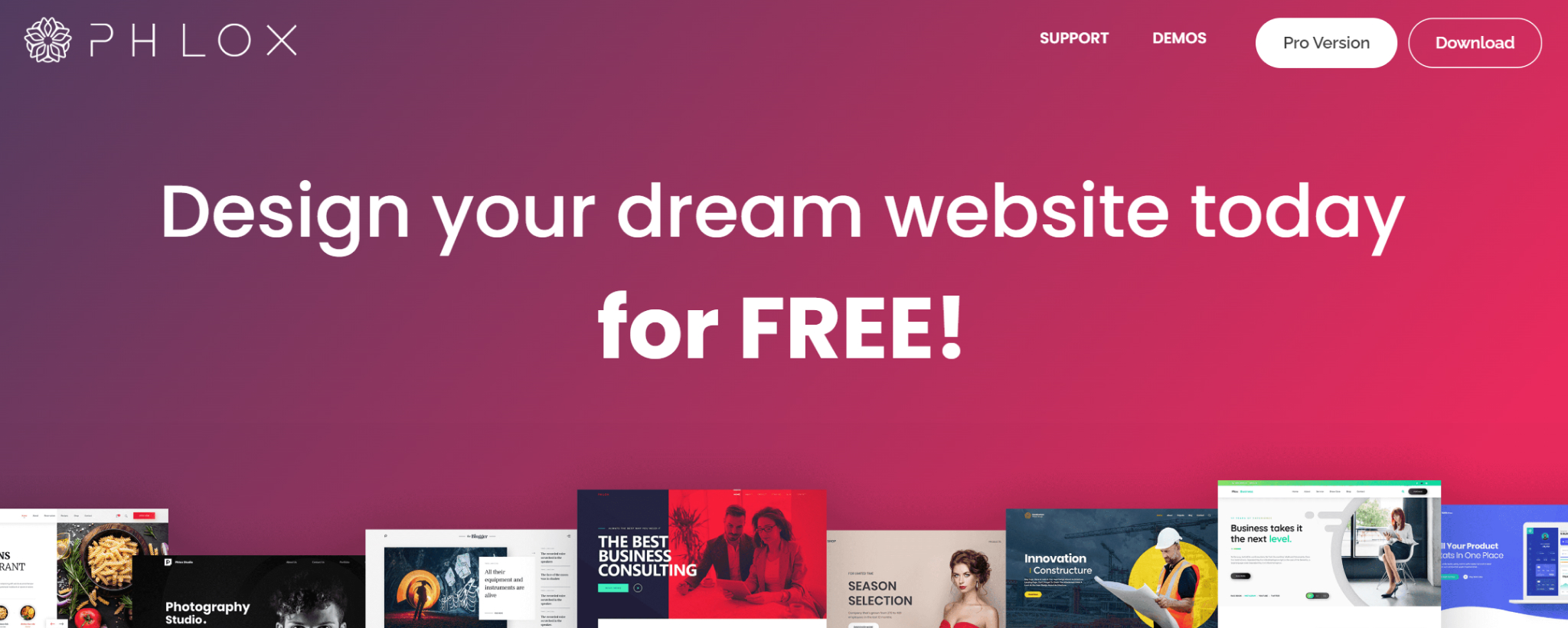
 

Phlox


Phlox is a standout WordPress theme renowned for its extensive Elementor integration and impressive range of pre-built features. Designed to streamline the process of creating visually appealing and functional pages, Phlox offers a wealth of tools and options to cater to various website needs.

With its collection of over 30 exclusive Elementor elements, Phlox empowers users to go beyond the standard capabilities of the page builder. These specialized elements provide additional functionality, such as testimonials, Google Maps, and more, enabling the creation of dynamic and engaging content.

Top Features:

  • Extensive Elementor Integration: Phlox seamlessly integrates with Elementor, providing a plethora of exclusive elements and features to enhance your page building experience.
  • Diverse Demo and Template Library: Choose from a 250+ selection of professionally designed demos and page templates to jumpstart your website creation process.
  • Code-Free Page Building: Phlox’s intuitive interface allows you to build optimized and visually stunning pages without writing a single line of code.
  • Advanced Element Library: Explore Phlox’s library of advanced elements, including testimonials, Google Maps, and more, to add unique features to your website.
  • Versatile Theme Options: Whether you’re building a portfolio, blog, online store, or business site, Phlox offers the flexibility and tools you need to create a customized and effective website.

Phlox’s compatibility with Elementor and other popular page builders, combined with its extensive feature set, makes it a compelling choice for WordPress users seeking a powerful and versatile theme.
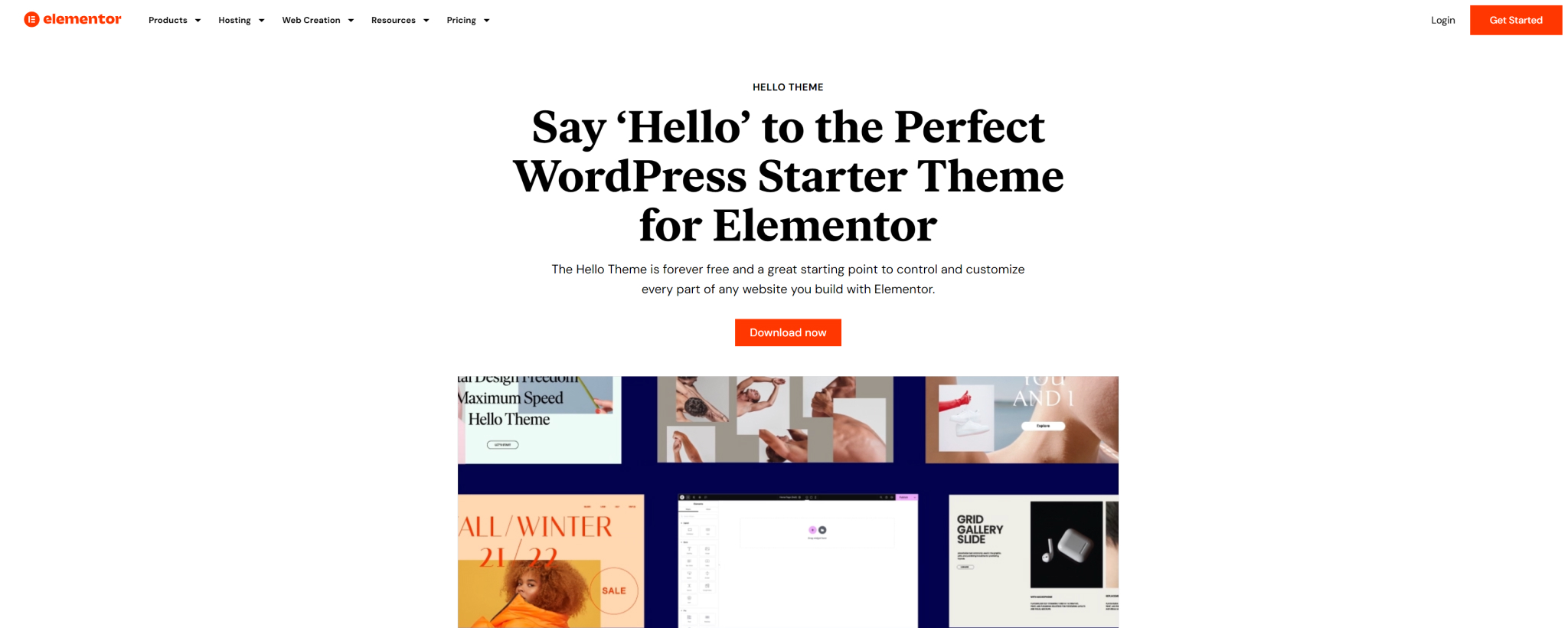
 

Hello Elementor


As the official theme developed by the creators of Elementor, Hello Elementor is a minimalist and lightweight option designed specifically for use with the popular page builder. Its clean and uncluttered design provides a blank canvas for Elementor Pro users to fully customize their websites without being hindered by pre-defined styling options.

Top Features:

  • Elementor Integration: Hello Elementor is tailor-made for Elementor, ensuring a seamless and integrated experience.
  • Minimalist Design: Its minimalist approach provides a clean foundation for you to build your website from scratch using Elementor’s powerful tools.
  • Fast Loading Speed: The theme’s lightweight nature contributes to fast loading times, enhancing the user experience.
  • WooCommerce Integration: Hello Elementor seamlessly integrates with WooCommerce, making it ideal for online stores.
  • Accessibility and Translation-Ready: Designed with web accessibility in mind, Hello Elementor is also translation-ready, ensuring a global reach.

If you’re seeking a free Elementor theme that prioritizes flexibility and performance, Hello Elementor is an excellent choice. Its minimalist design and deep integration with Elementor make it a versatile option for creating stunning and functional websites.
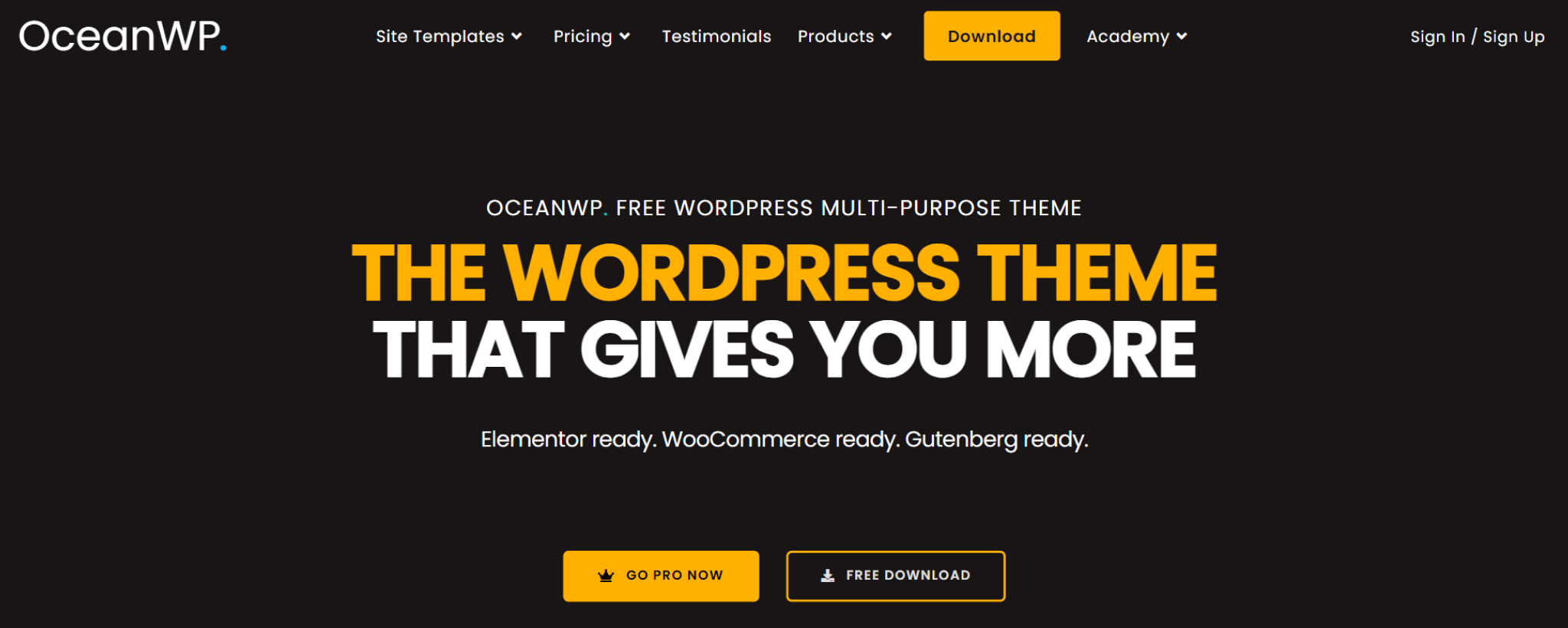
 

OceanWP


OceanWP is a highly popular WordPress theme known for its versatility, performance, and compatibility with Elementor. Its scalable nature makes it suitable for both small and large websites, and its unique Elementor widgets streamline the page-building process.

With over 60 pre-built demos, OceanWP offers a wide range of starting points for your website. Its seamless integration with WooCommerce makes it an excellent choice for online stores, and its fast page loading times and built-in SEO features contribute to a positive user experience and improved search engine visibility.

Top Features:

  • Extensive Demo Library: Choose from over 60 demos to quickly create a visually appealing website.
  • WooCommerce Compatibility: Easily build and manage online stores with OceanWP’s WooCommerce integration.
  • Optimized Performance: Enjoy fast page loading times and improved SEO for better user experience and search rankings.
  • Unique Elementor Widgets: Streamline page building with OceanWP’s specialized Elementor widgets.
  • Versatile Theme Options: Customize your website’s layout, typography, and more with OceanWP’s extensive customization options.

OceanWP’s combination of performance, versatility, and Elementor integration makes it a compelling choice for WordPress users seeking a powerful and feature-rich theme. Whether you’re building a personal blog, online store, or business website, OceanWP offers the tools and flexibility you need to create a successful online presence.

 

Astra


Astra is a highly popular WordPress theme renowned for its lightweight design, extensive customization options, and seamless integration with Elementor. Its focus on performance and flexibility makes it a versatile choice for a wide range of websites.


Top Features:

  • Lightweight and Fast: Astra’s optimized code and minimal resource usage ensure lightning-fast loading times, enhancing the user experience.
  • Extensive Customization Options: Customize every aspect of your website, from colors and typography to layouts and header styles, using Astra’s powerful customization tools.
  • Elementor Integration: Seamlessly integrate with Elementor to create stunning and dynamic pages with ease.
  • Vast Demo Library: Choose from over 130 pre-built demos to get started quickly and effortlessly.
  • Performance Optimization: Astra’s focus on performance ensures your website loads quickly and efficiently.
  • Astra’s combination of speed, flexibility, and Elementor integration makes it a compelling choice for WordPress users seeking a high-performance and customizable theme. Whether you’re building a personal blog, online store, or business website, Astra offers the tools and features you need to create a successful online presence.
 

Neve


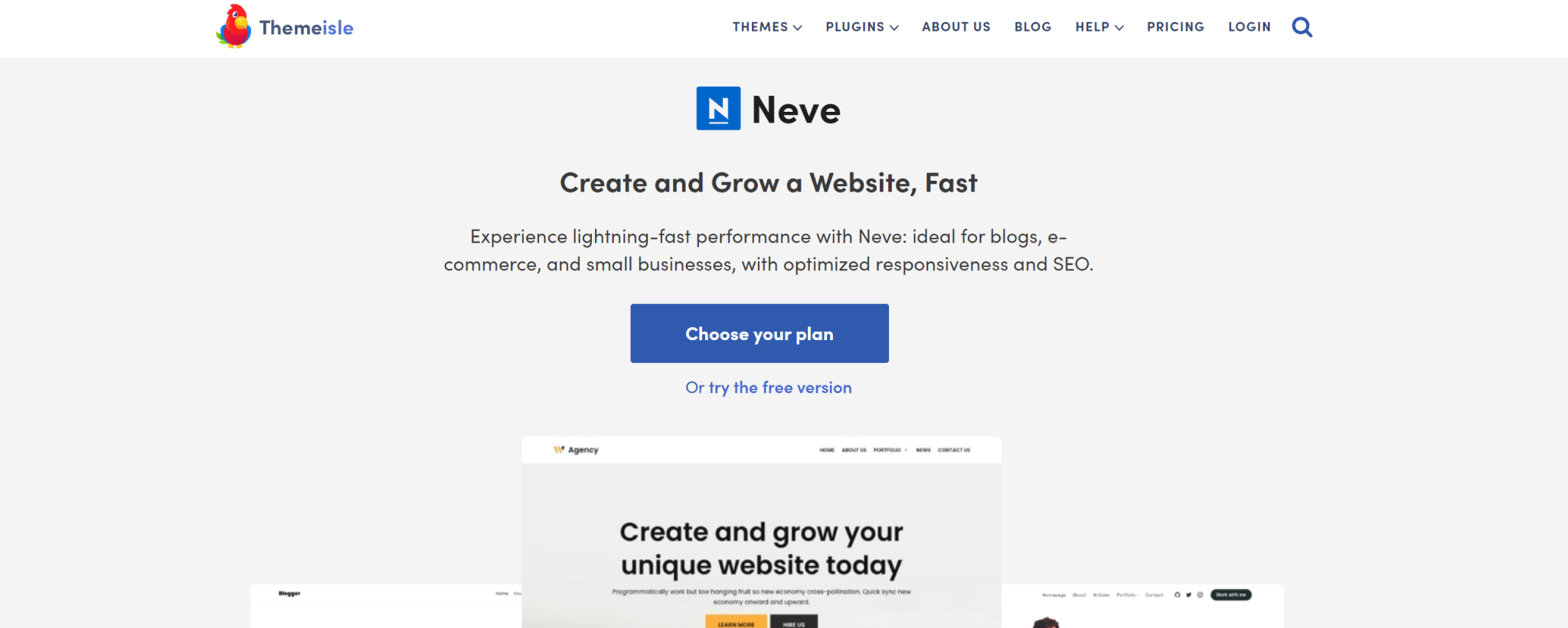
Neve is a popular WordPress theme known for its minimalist design, lightweight nature, and seamless integration with Elementor. Its focus on simplicity and performance makes it a suitable choice for a wide range of websites, from personal blogs to online stores.

Top Features:

  • Minimalist Design: Neve’s clean and uncluttered layout provides a solid foundation for building visually appealing websites.
  • Lightweight and Fast: Its optimized code and minimal resource usage ensure fast loading times, enhancing the user experience.
  • Elementor Integration: Create stunning and dynamic pages effortlessly with Neve’s compatibility with Elementor.
  • Extensive Demo Library: Choose from over 100 pre-built demos to jumpstart your website creation process.
  • Customization Options: Customize your website’s appearance and functionality with Neve’s flexible settings and live customizer.

Neve’s combination of simplicity, performance, and Elementor integration makes it a compelling choice for WordPress users seeking a versatile and user-friendly theme. Whether you’re a beginner or a seasoned developer, Neve offers the tools and flexibility you need to create a successful online presence.


Best AI Plugins for WordPress in 2024

Best AI Plugins for WordPress in 2024

In the dynamic world of WordPress, artificial intelligence (AI) has emerged as a powerful tool for enhancing website functionality and improving user experiences. AI-powered plugins offer a wide range of capabilities, from automating tasks to providing intelligent insights. By leveraging AI, WordPress website owners can streamline their workflows, boost efficiency, and create more engaging and personalized online experiences.


What Are the Benefits of Using an AI Plugin in WordPress


AI plugins offer numerous benefits for WordPress website owners, including:

  • Increased efficiency: AI can automate repetitive tasks, saving you time and effort.
  • Enhanced user experience: AI-powered features can personalize content and provide tailored recommendations, improving user engagement.
  • Improved SEO: AI can help you optimize your website for search engines by suggesting relevant keywords, improving content structure, and analyzing performance metrics.
  • Enhanced customer support: AI chatbots can provide 24/7 support and answer customer inquiries, improving customer satisfaction.
  • Streamlined content creation: AI can assist in generating content ideas, writing copy, and creating visual elements, saving you time and effort.
  • Data-driven insights: AI can analyze user behavior and provide valuable insights to help you optimize your website’s performance.

Utilizing AI plugins into your WordPress website, you can unlock these benefits and take your online presence to the next level. Let’s review some of the top AI plugins for WordPress.


Depicter

Depicter’s AI slider builder is a unique feature that leverages artificial intelligence to streamline the design process. By analyzing your content title and provided data, the AI tool suggests design elements, layouts, and transitions that are visually appealing and consistent with your brand. This helps users create professional-looking sliders without requiring extensive design expertise.


Depicter’s AI Tool is for anyone who wants to create visually appealing and engaging interactive content for their WordPress website. Whether you’re a professional designer, a marketer, or simply a website owner looking to improve your site’s appearance, the AI tool can help you achieve your goals.

It is particularly beneficial for:

  • Non-designers: Those who lack formal design skills can use the AI tool to create professional-looking sliders without the need for extensive training.
  • Time-constrained users: The AI tool can help speed up the design process, allowing users to create sliders more efficiently.
  • Those seeking fresh ideas: The AI tool can suggest new and innovative design elements that users might not have considered on their own.

The biggest benefit of using Depicter’s AI slider builder is that it simplifies the design process, allowing users to create visually appealing sliders without requiring extensive design skills. The AI tool suggests design elements, layouts, and transitions, ensuring that the final product is both attractive and effective.

While all of Depicter’s AI tool’s features are valuable, one of the most standout is its ability to suggest design elements based on your content and website’s aesthetic. This ensures that the created sliders are consistent with your brand and visually appealing.

If you want to create visually appealing and engaging sliders for your WordPress website, Depicter’s AI tool is an excellent option. It can save you time, improve the quality of your designs, and ensure that your sliders are consistent with your brand.

In essence, Depicter’s AI tool acts as a virtual design assistant, providing recommendations and suggestions to enhance the overall quality and effectiveness of your interactive content.


Tidio


Tidio is a versatile customer service automation tool designed to enhance your WordPress website’s support capabilities. Whether you’re a freelancer, an online retailer, or an enterprise, Tidio’s AI-powered features can streamline your interactions with customers and boost overall satisfaction.


At the core of Tidio is its live chat functionality, allowing you to connect with visitors in real time and address their inquiries promptly. Beyond live chat, Tidio’s AI chatbots offer 24/7 support, ensuring that customers always have a reliable avenue for assistance. These chatbots are equipped with natural language processing capabilities, enabling them to understand and respond to customer queries in a human-like manner.   


Tidio’s AI-driven features extend beyond chat functionality. The plugin offers valuable insights into visitor behavior, allowing you to tailor your communication strategies and optimize your website for maximum engagement. Additionally, Tidio’s integration with various third-party tools, such as MailChimp and Google Analytics, further enhances its versatility and value.


Rank Math SEO


Rank Math SEO is a powerful WordPress plugin that leverages AI technology to streamline the SEO process and improve your website’s search engine visibility. With its comprehensive suite of features and intuitive interface, Rank Math offers a robust solution for optimizing your content and enhancing your online presence.

One of Rank Math’s standout features is its AI-powered Content Assistant, which provides valuable suggestions for improving your on-page SEO. This tool helps you identify optimal keyword usage, suggest relevant headings and subheadings, and even recommend suitable media elements to enhance your content’s appeal. By following the Content Assistant’s recommendations, you can significantly boost your chances of ranking higher in search engine results.

If you’re seeking a powerful and user-friendly SEO plugin that harnesses the power of AI, Rank Math is an excellent choice. Its combination of advanced features, intuitive interface, and AI-driven insights makes it a valuable tool for any WordPress website looking to improve its search engine rankings.


AI Engine


AI Engine is a comprehensive WordPress plugin that empowers website owners to harness the power of AI for a wide range of tasks. From creating chatbots and generating content to translating text and suggesting SEO optimizations, AI Engine offers a versatile toolkit to enhance your website’s functionality.

To leverage AI Engine’s capabilities, you’ll need to provide your own API key from an AI service provider such as OpenAI’s ChatGPT or Microsoft Azure. Once integrated, AI Engine seamlessly connects your WordPress site to these powerful AI tools, unlocking a world of possibilities.

One of AI Engine’s standout features is its ability to assist in content creation. Whether you’re writing blog posts, crafting product descriptions, or generating creative copy, AI Engine can provide valuable suggestions and even generate text based on your prompts. Additionally, the plugin’s image generation capabilities allow you to create unique visuals for your website.

For multilingual websites, AI Engine’s Playground feature offers AI-based translation and correction tools. This can help you reach a wider audience and improve the overall user experience for non-native speakers.

In essence, AI Engine is a versatile plugin that can serve as a chatbot, content generator, image creator, and translator. While it requires an OpenAI account and API key to function, the free version offers a robust set of features that can significantly enhance your WordPress website’s capabilities.


Formidable Forms 


Formidable Forms is a powerful WordPress plugin that goes beyond traditional form creation by incorporating AI technology. This integration offers several benefits, including enhanced customer support and streamlined workflows.

By enabling AI in your forms, you can provide users with assistance and guidance before they even submit their requests. This not only improves the customer experience but also reduces the workload on your support team.

To simplify the process, Formidable Forms offers a variety of pre-built AI templates. These templates cover a range of use cases, from pre-sale assistance to specialized forms like the “book buddy” form. Each template includes customizable features such as surveys, calculators, and pricing fields, allowing you to tailor the form to your specific needs.

In addition to its AI capabilities, Formidable Forms offers a comprehensive set of features for creating and managing forms. Its drag-and-drop interface makes it easy to design forms of any complexity, and its AJAX-enabled forms provide a smooth user experience.

Overall, Formidable Forms is a powerful tool for WordPress users who want to leverage AI to enhance their forms and improve their website’s functionality. With its AI-powered form builder, pre-built templates, and comprehensive feature set, Formidable Forms can help you streamline your workflows and provide a better experience for your visitors.


10 Web AI Assistant


10 Web AI Assistant is a powerful WordPress plugin designed to empower website owners with the power of AI. This comprehensive solution goes beyond simple website building, offering a robust suite of tools for content creation, editing, and optimization.

Whether you’re crafting engaging blog posts or optimizing product descriptions for your ecommerce store, 10Web AI Assistant streamlines the process. Its intuitive interface and advanced AI algorithms make it easy to generate high-quality content, conduct effective edits, and ensure your website’s content ranks well in search engines.

10Web AI Assistant boasts a variety of features that cater to diverse content needs. With over 20 pre-built content generation templates, you can quickly generate ideas and outlines for articles, blog posts, product descriptions, and more. This eliminates writer’s block and saves you valuable time.

Furthermore, the plugin’s paraphrase generator ensures your content is unique and plagiarism-free. This is especially beneficial for website owners who need to produce large volumes of content.


All in One SEO


All in One SEO (AIOSEO) is a popular WordPress plugin that offers a comprehensive suite of tools for improving your website’s search engine optimization (SEO). With its user-friendly interface and powerful features, AIOSEO can help you optimize your content, improve your website’s structure, and enhance your online visibility.


One of AIOSEO’s standout features is its integration with AI-powered SEO title and description generation. This innovative functionality leverages the power of OpenAI’s ChatGPT to provide you with high-quality suggestions for your website’s meta information. By using AIOSEO’s AI-powered tools, you can save time and effort while ensuring your content is optimized for search engines.

AIOSEO’s integration with ChatGPT is particularly valuable for website owners who struggle to come up with compelling SEO titles and meta descriptions. With just a click, you can generate high-quality suggestions that can help your website rank higher in search results.

Whether you’re a seasoned SEO professional or just starting out, AIOSEO’s combination of powerful features and AI-powered tools makes it a valuable asset for any WordPress website looking to improve its online visibility.

How to Create a Portfolio Website for Free

How to Create a Portfolio Website for Free

In today’s digital age, having a strong online presence is crucial, especially for creative professionals. Learning how to create a portfolio website for free is now essential to showcase your skills and accomplishments to the world, attracting potential clients and employers. This guide will explore how to build a captivating portfolio website using the popular WordPress platform and the versatile Phlox theme, both of which are free to use.

Why Do You Need an Online Portfolio Website?


An online portfolio website is essential for showcasing your work and establishing a professional online presence.


Here’s why:


Demonstrates your skills: A portfolio allows you to visually display your best work, giving potential clients or employers a clear understanding of your abilities.

Builds credibility: A professional portfolio website instantly boosts your credibility and makes you appear more established in your field.

Attracts clients and employers: Your portfolio is a powerful marketing tool that can help you attract new clients or land your dream job.

Sets you apart: In a competitive market, a standout portfolio can help you differentiate yourself from others and capture attention.

Provides a central hub: It serves as a central location where people can find your contact information and learn more about your services.

Improves SEO: By optimizing your portfolio for search engines, you can increase your visibility and reach a wider audience.

Essentially, an online portfolio is your digital business card. It’s a valuable asset for anyone looking to make a strong impression in their industry.


Why Make Your Portfolio in WordPress?


WordPress is the world’s most popular content management system (CMS) for a reason. Its user-friendly interface, coupled with a vast ecosystem of themes and plugins, makes it an ideal platform for creating professional and visually appealing online portfolios. No matter your creative field – whether you’re a graphic designer, photographer, writer, or developer – WordPress provides the essential tools and flexibility to showcase your work effectively.

Beyond its ease of use, WordPress also excels in search engine optimization (SEO), making it easier for potential clients to find your portfolio. Moreover, as an open-source platform, WordPress is continually updated with new features and security enhancements, ensuring your portfolio remains modern and protected. With the integration of an appointment booking plugin like BookingPress, you can even make it simple for clients to schedule consultations or meetings directly through your site, adding an extra layer of convenience.


WordPress is a popular choice for building online portfolios for several compelling reasons:


  • User-friendly interface: WordPress is designed to be accessible to users of all technical levels. You don’t need coding expertise to create a stunning portfolio.
  • Customization options: With a vast array of themes and plugins, you can tailor your portfolio to perfectly match your style and brand identity.
  • Content management: Easily add, edit, and organize your portfolio items without hassle.
  • Open-source platform: WordPress is free to use, making it an affordable option for anyone.
  • Affordable hosting: There are numerous hosting providers offering plans to suit various budgets.
  • Search engine optimization: WordPress is built with SEO in mind, helping your portfolio rank higher in search results.
  • Extensive resources: Benefit from a vast community of users, developers, and designers offering support and tutorials.
  • E-commerce integration: Sell your products or services directly from your portfolio if desired.

While we have highlighted the core advantages of using WordPress for your portfolio, there are many more reasons to consider but that’s for another dedicated article.


How to Create an Online Portfolio Website in WordPress with Phlox


WordPress Host

A reliable foundation is essential for any website, but especially for a WordPress portfolio. High-quality hosting ensures your website loads quickly, minimizes downtime, and prioritizes security for both your content and visitor data. Slow loading times can frustrate potential clients and hurt your search engine ranking, while downtime translates to lost opportunities. Reliable hosting also offers features like automatic backups and malware scans, giving you peace of mind and freeing you to focus on creating your best work.

InstaWP stands out as a compelling hosting option for WordPress portfolios due to its unique combination of features, performance, and developer-friendly tools.


InstaWP Key Features

  • WordPress-Optimized Infrastructure: Built for high performance.
  • Speed-Optimized: Edge caching, CDN, global data centers.
  • Seamless Integration: Unified platform for website management.
  • Agency-Friendly Pricing: Discounts for multiple websites.
  • Managed WordPress: Automated updates, easy migration, expert support.
  • Enhanced Security: DDoS protection, WAF, backups, uptime guarantee.
  • Streamlined Workflow: Staging, collaboration, one-click launch.
  • Developer-Friendly Tools: SSH/SFTP, phpMyAdmin, development tools.

Installing WordPress

https://developer.wordpress.org/advanced-administration/before-install/howto-install/

Installing the Phlox theme

Phlox is a standout WordPress theme renowned for its versatility, speed, and ease of use. Designed to cater to a wide range of websites, including portfolios, it boasts an impressive array of features. Its intuitive interface, coupled with powerful page builders like Elementor and Visual Composer, empowers users to create stunning websites without coding knowledge. With a plethora of pre-designed templates, customizable elements, and advanced portfolio options, Phlox offers unparalleled flexibility in showcasing your work.Phlox empowers photographers, designers, and creative professionals to build captivating online portfolios that leave a lasting impression.

Top Features for a Portfolio Website

  • Stunning Portfolio Layouts: Choose from a variety of layouts to showcase your work in style, including grid, masonry, and tile formats.
  • Customizable Portfolio Items: Tailor each portfolio item with detailed information, images, and videos to highlight your projects effectively.
  • Seamless Integration with Page Builders: Leverage the power of Elementor or Visual Composer to create custom portfolio designs and layouts.
  • Responsive Design: Ensure your portfolio looks impeccable on all devices, from desktops to smartphones.
  • SEO Optimization: Improve your website’s visibility in search engine results with built-in SEO features.
  • Fast Loading Times: Enhance user experience with optimized performance and quick load times.
  • Regular Updates: Benefit from continuous improvements and security patches with regular theme updates.
  • Excellent Customer Support: Rely on the Phlox team for assistance and troubleshooting.
  • One-Click Demo Import: Quickly set up your portfolio website with pre-designed demos.

Master Slider Pro Included: Create captivating slideshows to showcase your work dynamically.


To install Phlox, click on the “Add new theme” option in the Themes menu, then search for “Phlox” and it will appear in the results. After that, click on the “Install” and then “Activate” buttons.


Importing a free and ready-to-use Portfolio Demo


After installing and activating Phlox, you will be automatically redirected to its dedicated dashboard. The next step is to import a ready-made demo. To do this, simply go to the “demo importer” menu in the dedicated Phlox dashboard.


Here, you will find a large number of free and Pro demos available for use.
If you search for the word “Portfolio,” you will be shown attractive options. One of the options is called “Creative Portfolio,” which you can select and import.”


After clicking the “Import” button, the process of importing the demo content begins.

Step 1: Continue. Click the “Continue” button to proceed to the next step.


Step 2: Install the required plugins. A list of plugins essential for importing this specific demo will be displayed. Click the “Install plugins” button to install these necessary plugins automatically. These additional plugins will enhance the functionality of your website.


Step 3: Import Content. Select the first option, to import all the content from the demo, including pages, posts, images, and other elements. Then, click the “Import content” button to initiate the import process.


Wait for Completion. The import process will start, and it may take a few minutes to complete. During this time, please be patient as the system transfers all the demo data to your website.


Once the import is finished, the demo content will be fully integrated into your website, providing you with a ready-to-customize starting point.

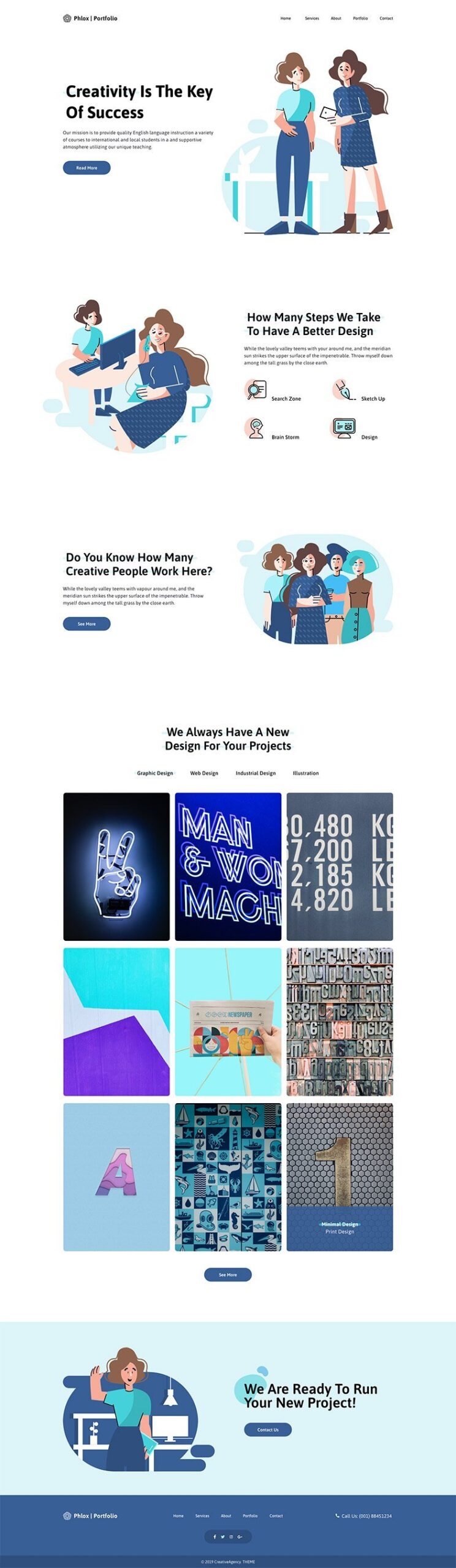
Here is the full display of the imported portfolio demo:


Website Customizations

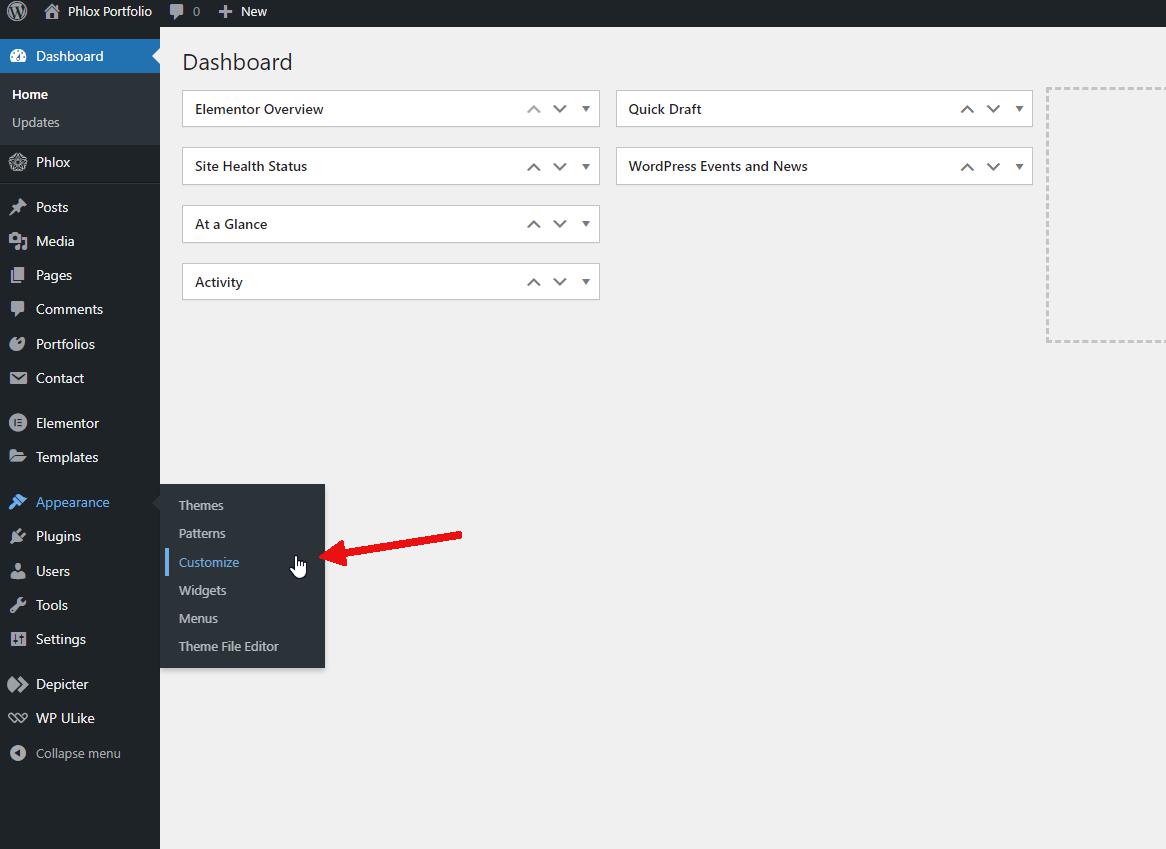
To customize various parts of WordPress and specifically Phlox, we use the “Customize” option found in the “Appearance” menu. This is where you’ll find the general options for WordPress and the theme you’ve installed. For a deeper understanding of the Customize feature, you can refer to this link:

Customizer


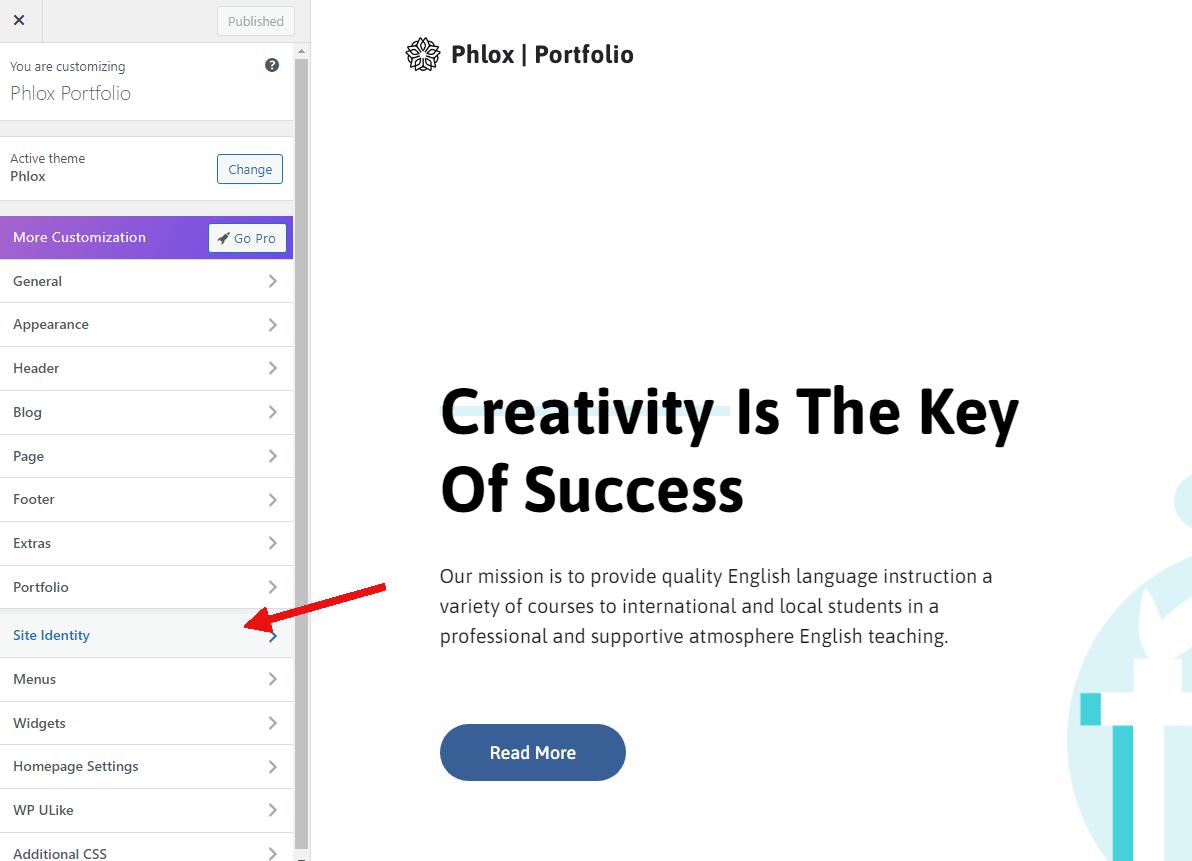
It’s logical that the first thing you’d want to do is customize your website based on your brand and identity. So, the first option you should explore in the Customizer is “Site Identity”.


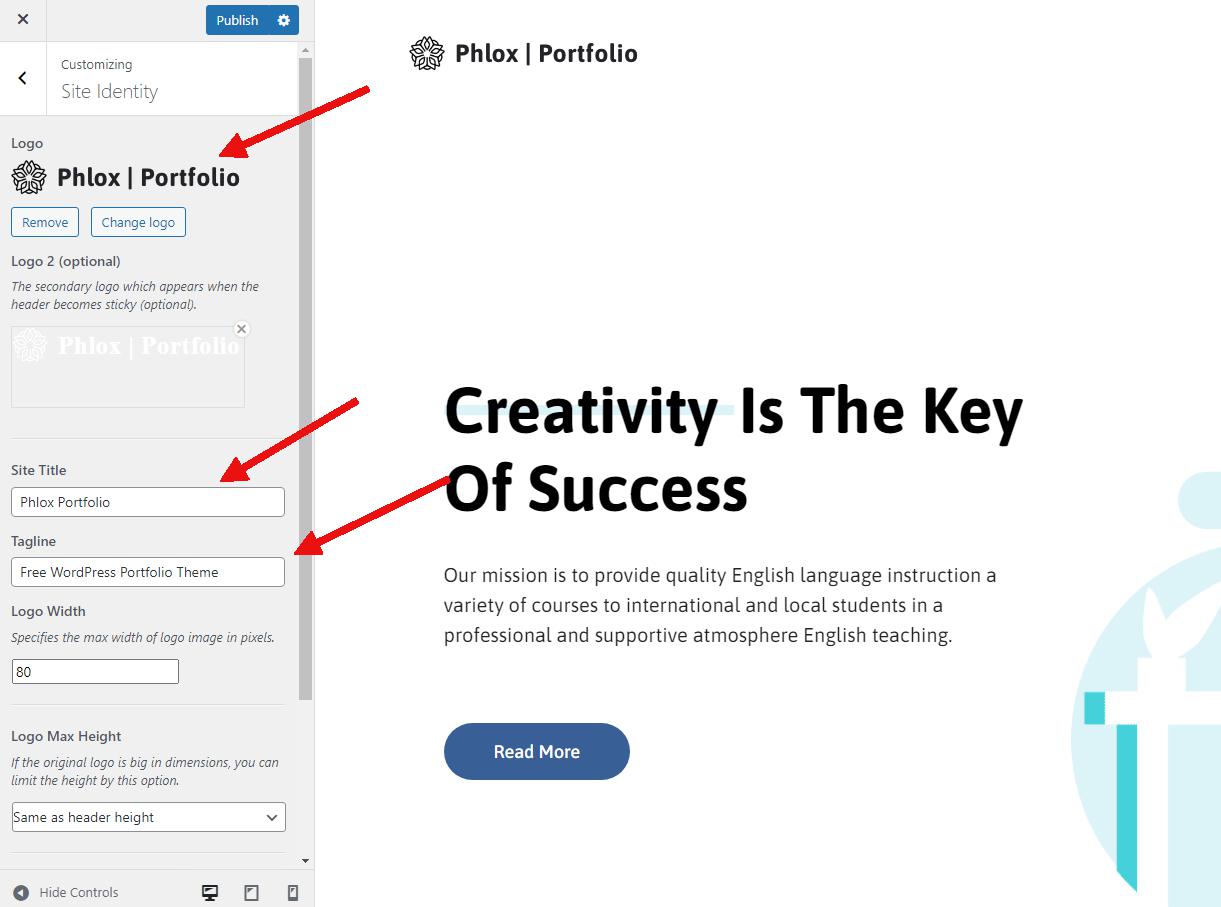
Here, you can modify elements like your site’s logo, title, and tagline using the available options.

Certainly, there are more customizations required to create a website that perfectly reflects your personality, but these options provide a great starting point.


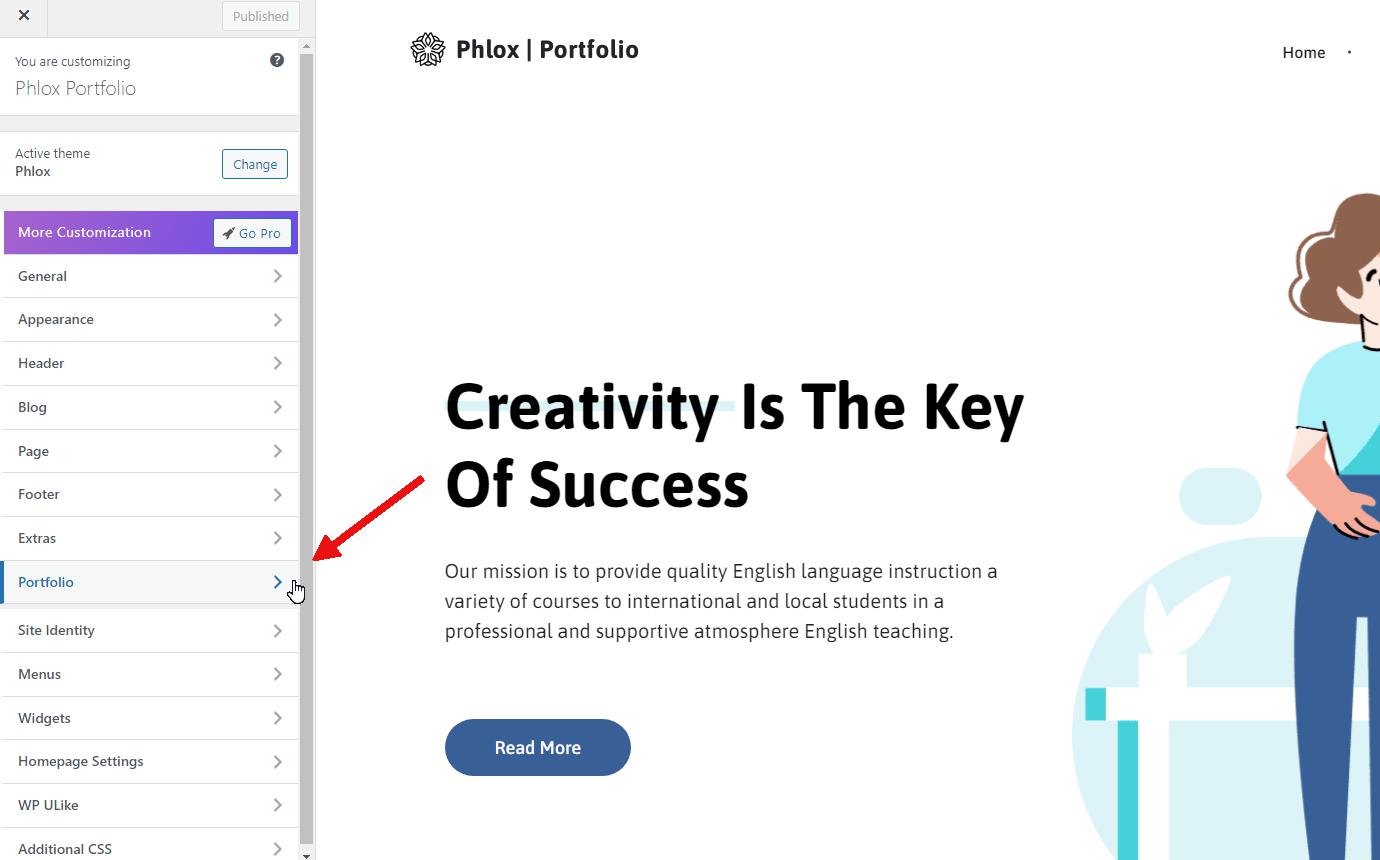
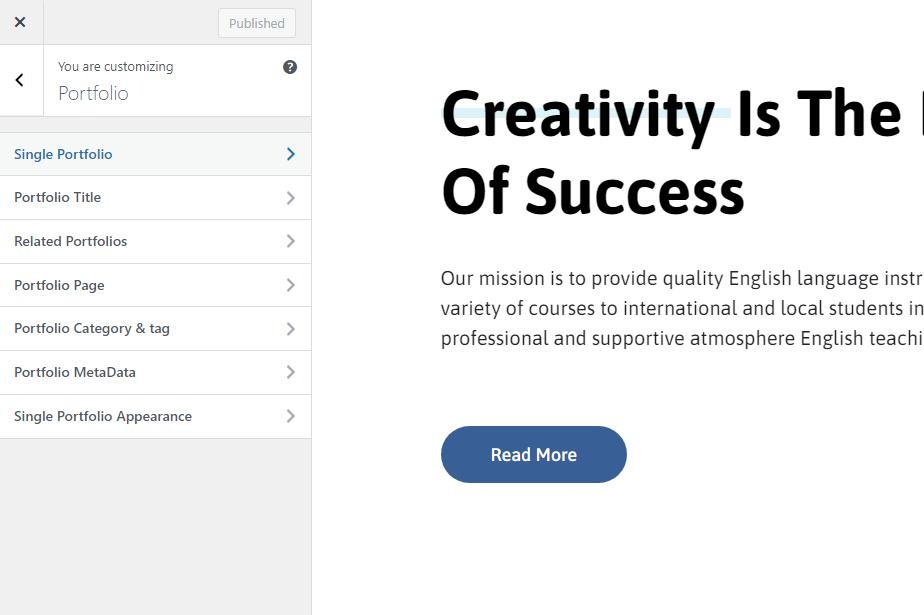
Next, let’s move on to customizing your portfolio options. Within the Customize menu, you’ll find various submenus that allow you to personalize and select different options for various sections of your website’s portfolio.


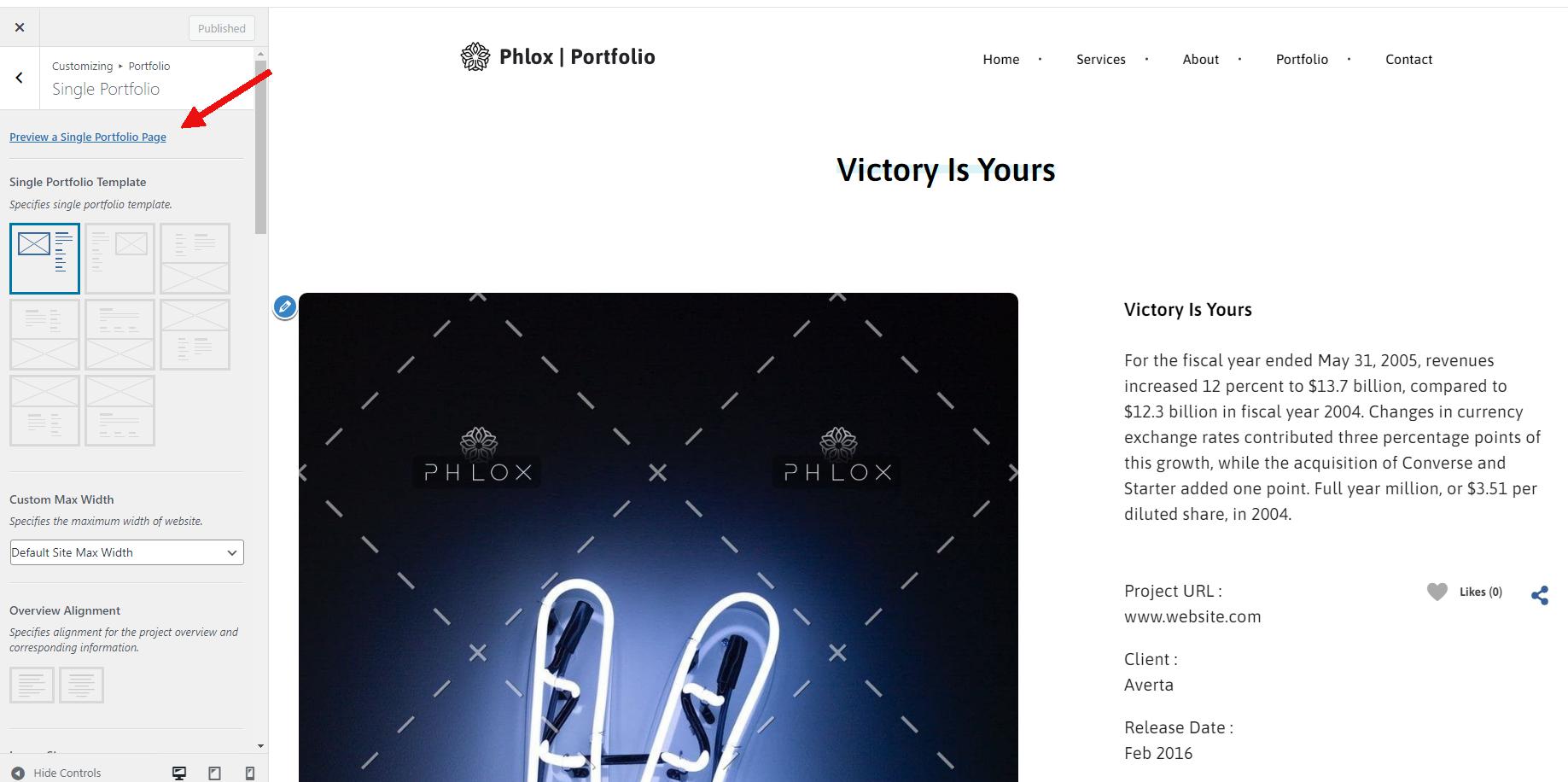
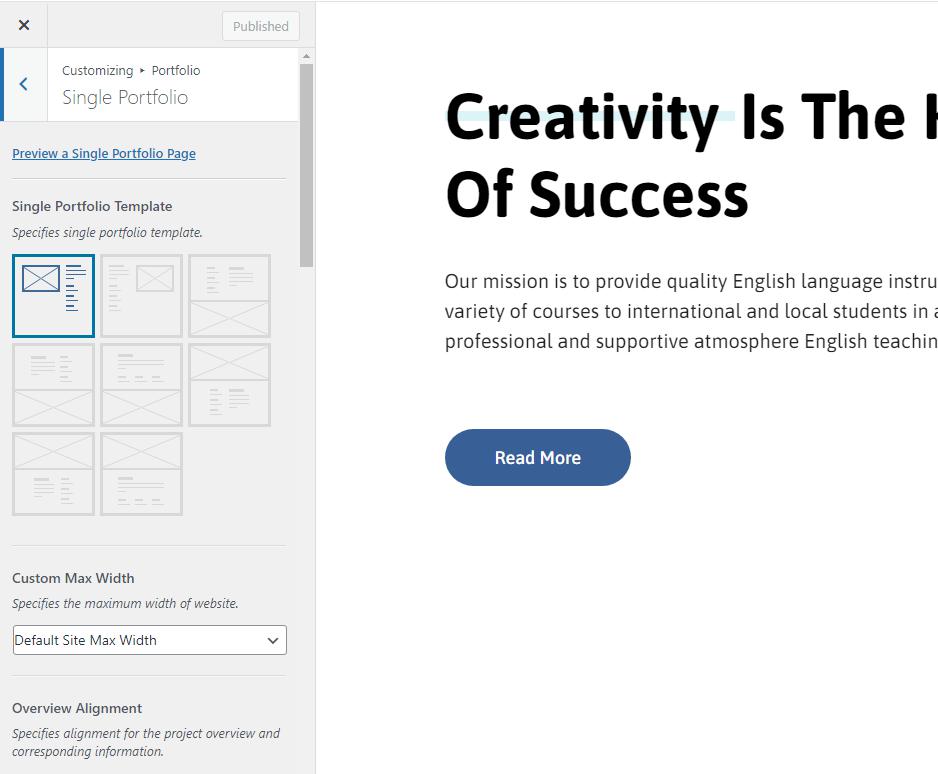
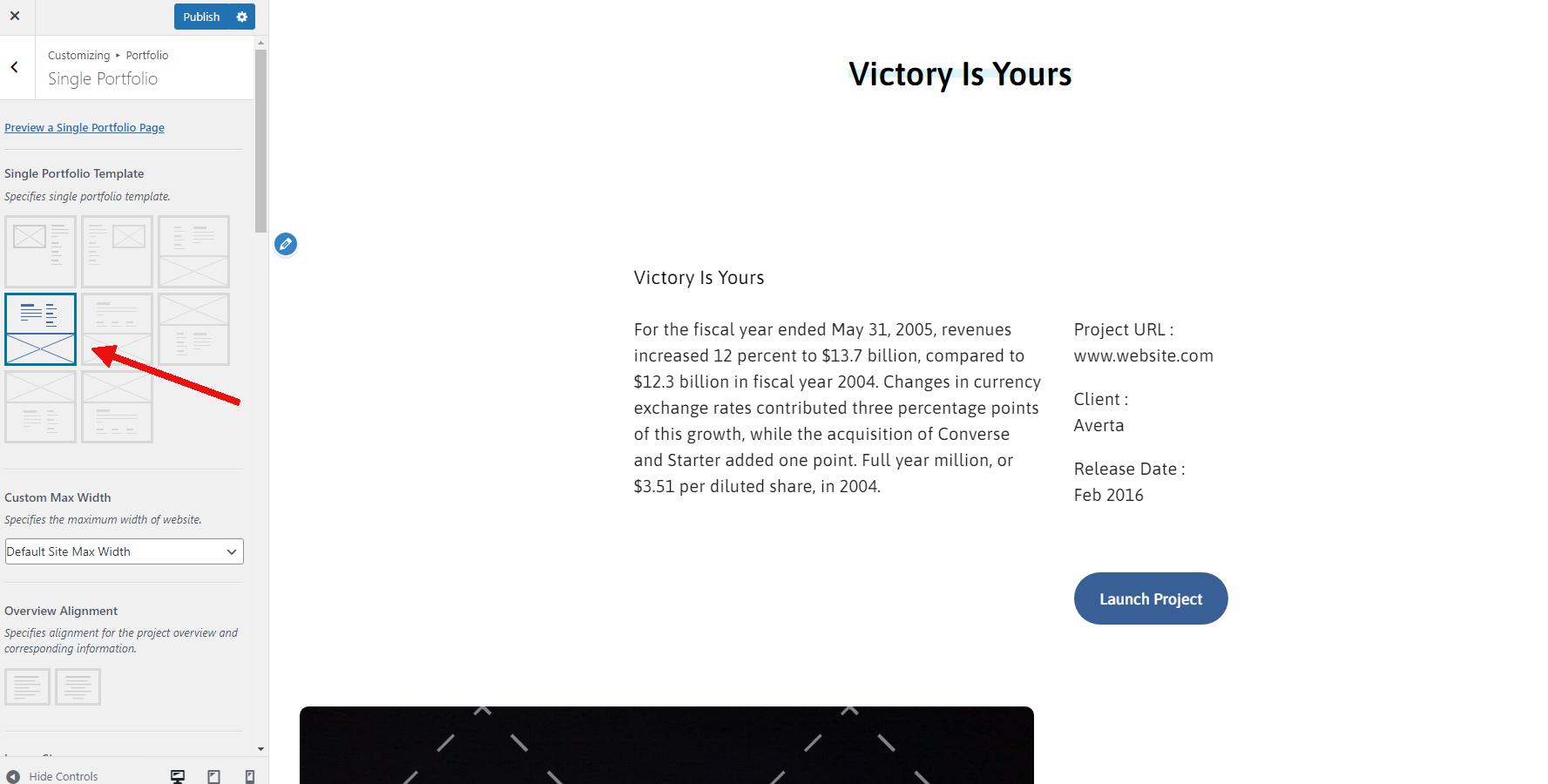
Start by clicking on “Preview a single portfolio page” from the “Single Portfolio” menu. This will load a sample portfolio item on the right-hand side for preview purposes. On the left-hand side, under the “Layouts” section, you can select different layout options. You’ll see the changes reflected in the preview on the right as you make your selections.


To save any changes made within the Customizer, be sure to click the “Publish” button at the top. By following this process, you can customize various aspects of your website’s portfolio to your liking.


Conclusion


FAQs

Top 5 WordPress Popups 2024

Best Popup Builders for WordPress

Popup builders are essential tools for WordPress users seeking to enhance their websites with engaging and visually appealing pop-up forms. Below are some of the top popup builders designed to help capture visitor information and drive desired actions on WordPress websites:

Depicter:

Depicter is a feature-rich WordPress plugin that includes a powerful popup builder specifically designed to create engaging and visually appealing pop-up forms. With Depicter’s popup builder feature, users can easily design and customize pop-ups to capture visitor information and promote various calls to action on their websites. The intuitive drag-and-drop interface and extensive design options allow for seamless integration of the pop-up forms with the website’s branding and content, creating a cohesive and compelling user experience.

Furthermore, the popup builder feature of Depicter provides a range of targeting and display settings, allowing users to strategically present pop-ups based on user behavior, specific pages, or other custom triggers. This level of customization ensures that the pop-ups are shown at the right time and to the right audience, maximizing their impact. Overall, Depicter’s popup builder is a valuable tool for WordPress users aiming to implement effective pop-ups that engage visitors and drive desired actions on their websites.

OptinMonster:

OptinMonster is a powerful lead generation and email opt-in plugin designed specifically for WordPress websites. It is widely recognized for its ability to effectively capture visitor information by creating and displaying various types of opt-in forms, including pop-ups, slide-ins, floating bars, and more. This versatile plugin equips website owners with a range of customization options to tailor the appearance and behavior of the forms, ensuring seamless integration with the website’s branding and layout.

With OptinMonster, website owners can strategically target visitors based on their behavior, geolocation, and other parameters, thereby maximizing the effectiveness of their email marketing efforts. The plugin’s intuitive interface and comprehensive analytics enable users to monitor and optimize the performance of their opt-in forms, allowing for A/B testing and real-time insights.


TrustPulse:

TrustPulse is an innovative social proof notification app designed to bolster website credibility and drive conversions. By showcasing real-time customer activity, such as purchases, sign-ups, and other interactions, TrustPulse creates a compelling sense of urgency and authenticity that resonates with site visitors. This powerful tool enables website owners to harness the influence of social proof, thereby instilling confidence in potential customers and ultimately increasing sales and engagements.

The user-friendly interface of TrustPulse permits effortless customization of notification appearance and timing, ensuring seamless integration with the website’s branding and user experience. With its widespread compatibility across platforms, TrustPulse facilitates easy implementation and management of social proof notifications, making it a valuable asset for businesses seeking to elevate their online presence and establish trust with their audience.


Thrive Leads:

Thrive Leads is a comprehensive list-building plugin for WordPress that empowers website owners to create and manage a variety of opt-in forms to capture visitor information and grow their email list. This powerful tool offers an array of customizable form types, including pop-ups, sticky ribbons, in-line forms, and more, allowing for strategic placement throughout the website to engage visitors effectively. With advanced targeting options, A/B testing, and insightful reporting, Thrive Leads equips users with the tools to optimize their lead generation efforts and maximize conversions.

One standout feature of Thrive Leads is its intuitive drag-and-drop editor, which enables effortless creation and customization of visually appealing opt-in forms without the need for coding skills. The plugin’s seamless integration with popular email marketing services further streamlines the process of nurturing and managing leads. Overall, Thrive Leads is a valuable asset for WordPress users seeking to implement a comprehensive and efficient list-building strategy to expand their audience and drive sustained growth.


Bloom:

Bloom is a robust email opt-in and lead-generation plugin designed for WordPress websites. It offers a wide range of customizable opt-in form types, such as pop-ups, fly-ins, and inline forms, allowing website owners to strategically capture visitor information and grow their email list. With its intuitive design interface and extensive customization options, Bloom empowers users to create visually engaging and seamlessly integrated opt-in forms tailored to their brand’s identity and website design.

A key highlight of Bloom is its extensive targeting and display settings, enabling users to efficiently reach and engage their audience based on specific behaviors, geolocation, and more. This level of targeting empowers website owners to deliver personalized and relevant content to their visitors, thereby enhancing engagement and conversion rates.

By providing a more detailed overview of each plugin, WordPress users can gain a deeper understanding of their capabilities and make informed decisions based on their specific needs and preferences.

Best Free WordPress Sliders 2024

Best Free WordPress Sliders

Incorporating the best free WordPress sliders can take your website to the next level by captivating your audience and improving user engagement. With a multitude of free slider plugins available in the WordPress community, selecting the right one can be a daunting task.

We will explore some of the top free WordPress slider plugins that offer essential features, impressive performance, and customization options. In this article, we will look into the essential features for crafting high-quality sliders, acceptable performance, customization options, and other factors, examining a number of the top free WordPress slider plugins to assist you in choosing the ideal solution for your website.

Depicter

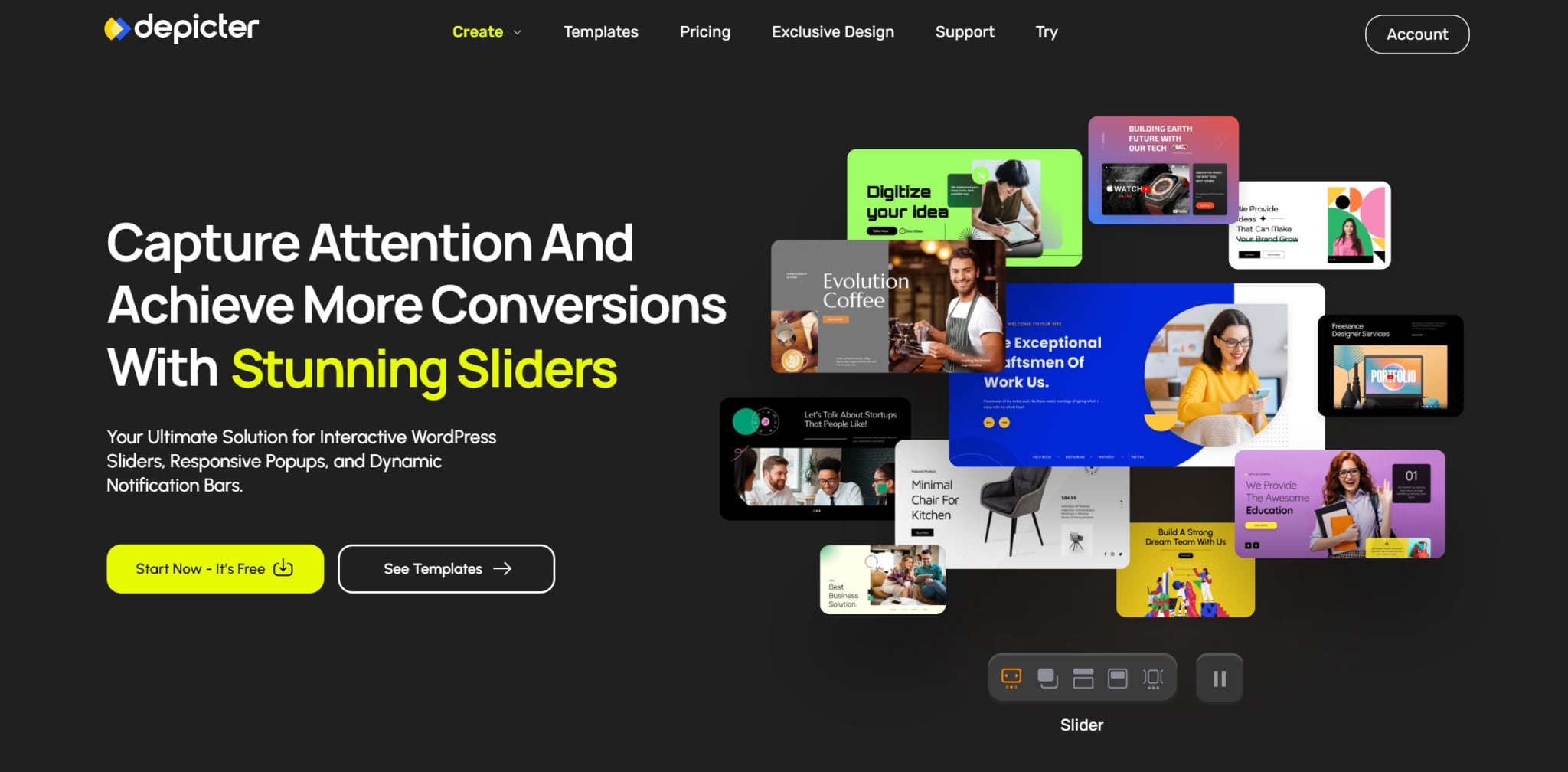
Depicter is a revolutionary free slider plugin enabling anyone to create captivating slideshows without coding expertise. Its intuitive visual editor empowers you to drag and drop elements, customize styles, and build stunning sliders within minutes. Depicter offers an extensive template library for quick start or creative freedom. Its animation library provides dynamic effects and supports video embedding. The responsive sliders and built-in SEO optimization ensure maximum visibility. Easy integration and advanced customization cater to both beginners and experienced designers, making Depicter the ultimate tool for creating stunning sliders. Key features include a visual slider builder, lightning-fast performance, animations, video support, mobile responsiveness, SEO optimization, easy integration, and beginner-friendly functionality.

Smart Slider


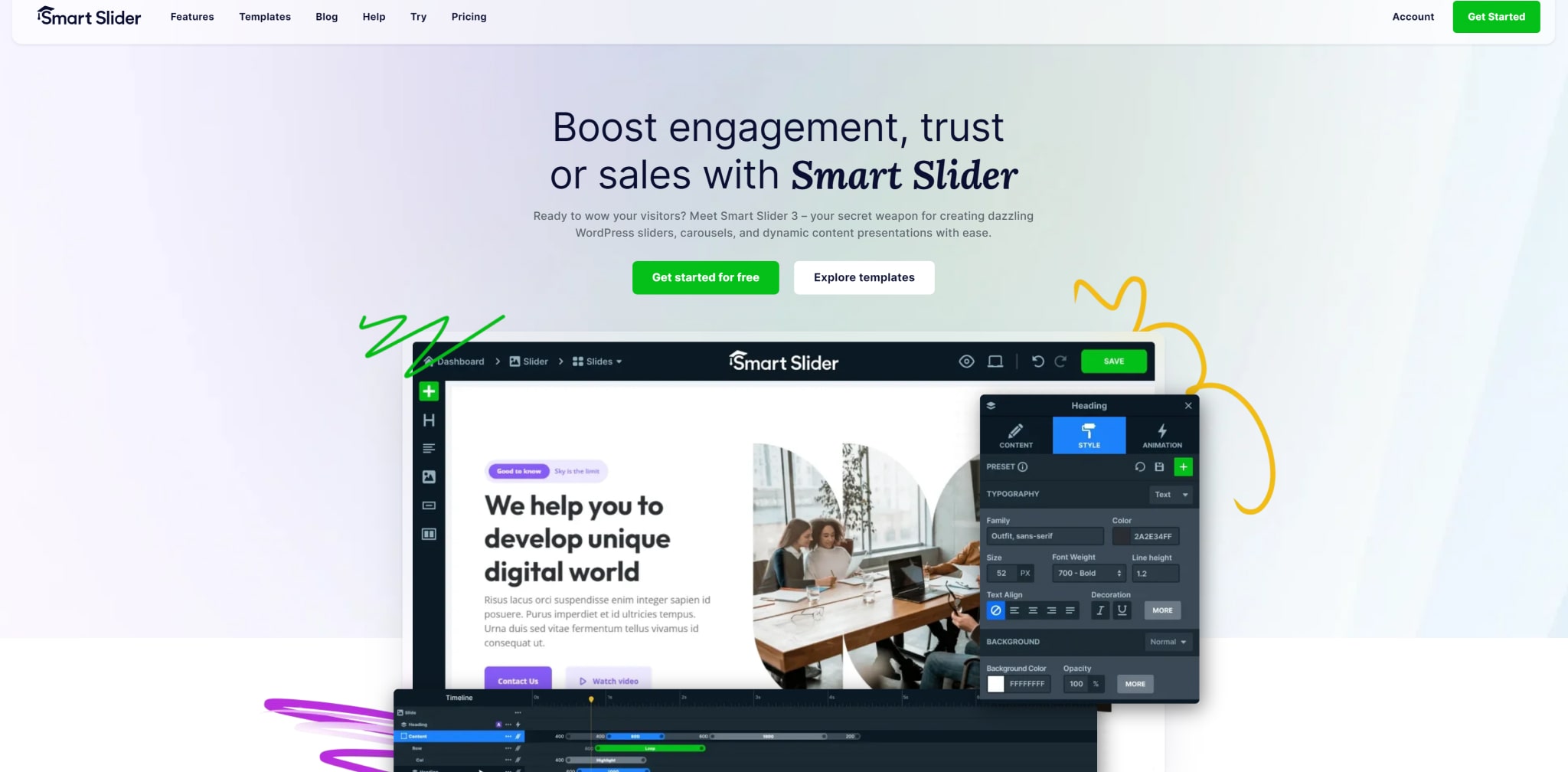
This plugin offers a range of features, including the ability to layer various content elements such as images, texts, videos, and buttons, allowing for the creation of engaging presentations within WordPress. Smart Slider 3’s user-friendly interface, robust functionalities, and sleek design make it a great choice for building custom sliders.


Users can easily create slides in the Smart Slider dashboard using preset default sizes or by entering custom width and height. The plugin also offers multiple options for displaying slides in content, such as using shortcodes or inserting PHP code into template files. Additionally, Smart Slider 3 provides intuitive slide editing functions, including the ability to insert videos, posts, and empty slides, as well as options for customizing slide settings with layers, animations, transition speed, autoplay, navigation buttons, slide effects, and more.

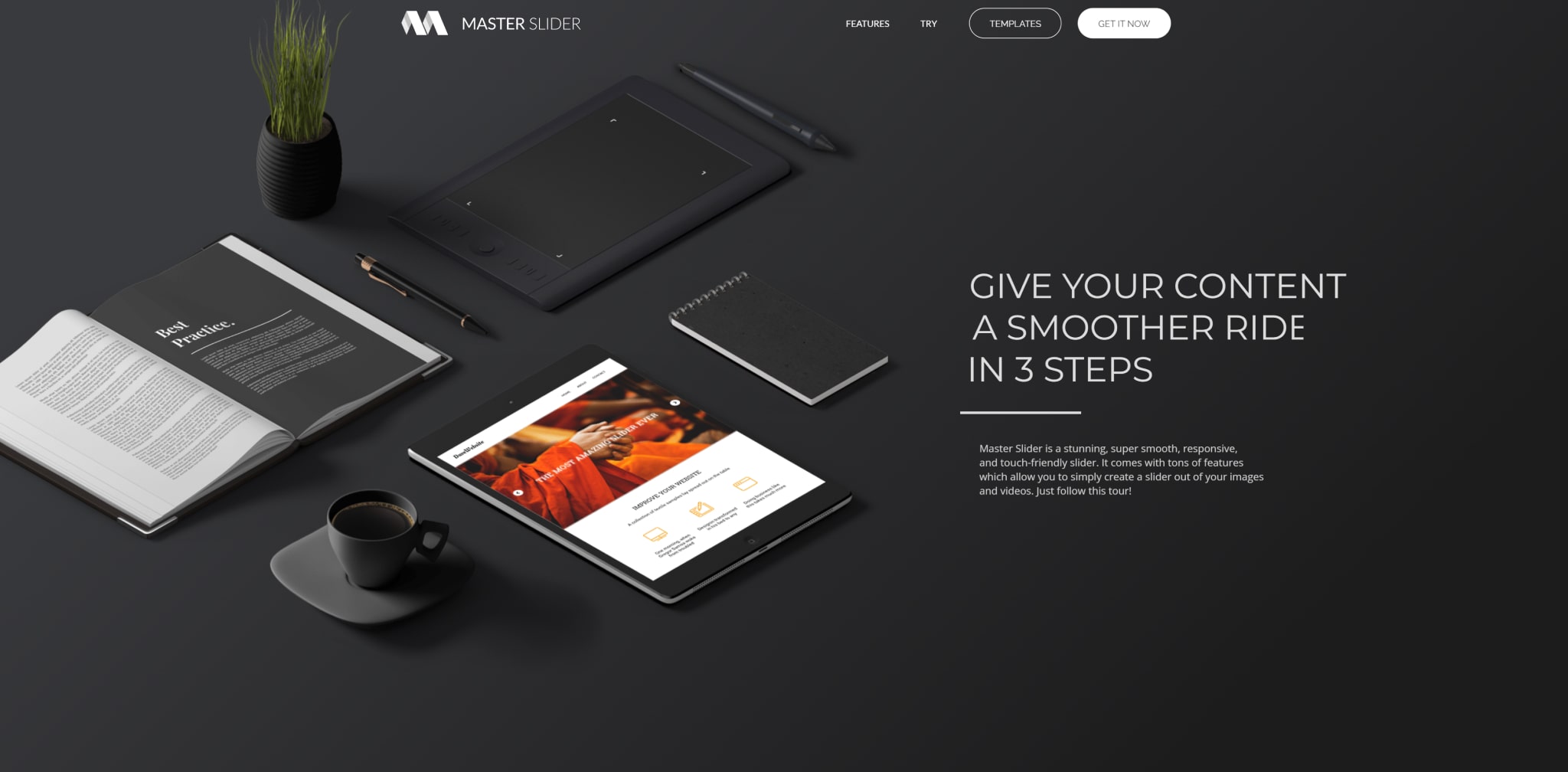
Master Slider


Depicter offers an extensive template library, allowing users to quickly get started with professionally designed templates or unleash their creativity by crafting sliders from scratch. The animation library provides a wide range of dynamic effects to bring slides to life and enables users to embed videos directly into sliders for an even more impactful visual experience.

The responsive sliders and built-in SEO optimization features of Depicter help ensure that sliders rank higher in search results, maximizing visibility for the content. Furthermore, the plugin’s easy integration and advanced customization options cater to both beginners and experienced designers, making Depicter a versatile tool for creating visually stunning sliders.

Some key features of Depicter include a visual slider builder, lightning-fast performance, various animations and interactions, support for video content, mobile responsiveness, SEO optimization, easy integration, and user-friendly functionality for beginners.

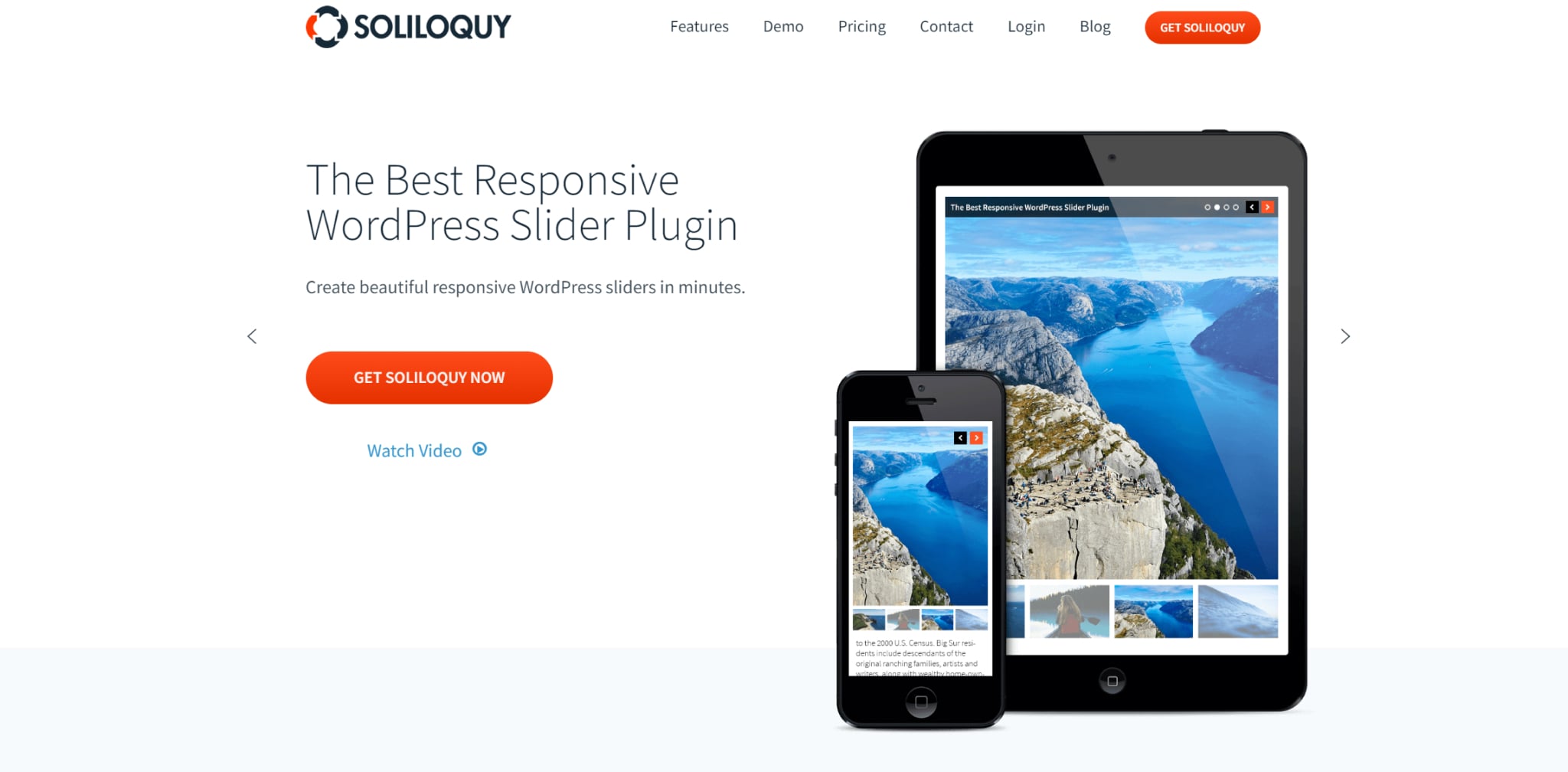
Soliloquy


Soliloquy is a powerful slider that provides a wide range of features for creating and customizing sliders on your website. The option to add thumbnail images as navigation for your sliders makes it easier for users to navigate through the content seamlessly. Additionally, the ability to create unique templates with CSS allows for a high level of customization, ensuring that your sliders align with your website’s overall design and brand identity. As a developer, you’ll appreciate the numerous hooks and filters available within Soliloquy, which enable you to further customize and enhance the plugin to suit your specific needs. This level of flexibility and extensibility makes Soliloquy an ideal choice for developers looking to create advanced slider solutions. Soliloquy provides a user-friendly and feature-rich platform that caters to a diverse range of needs.

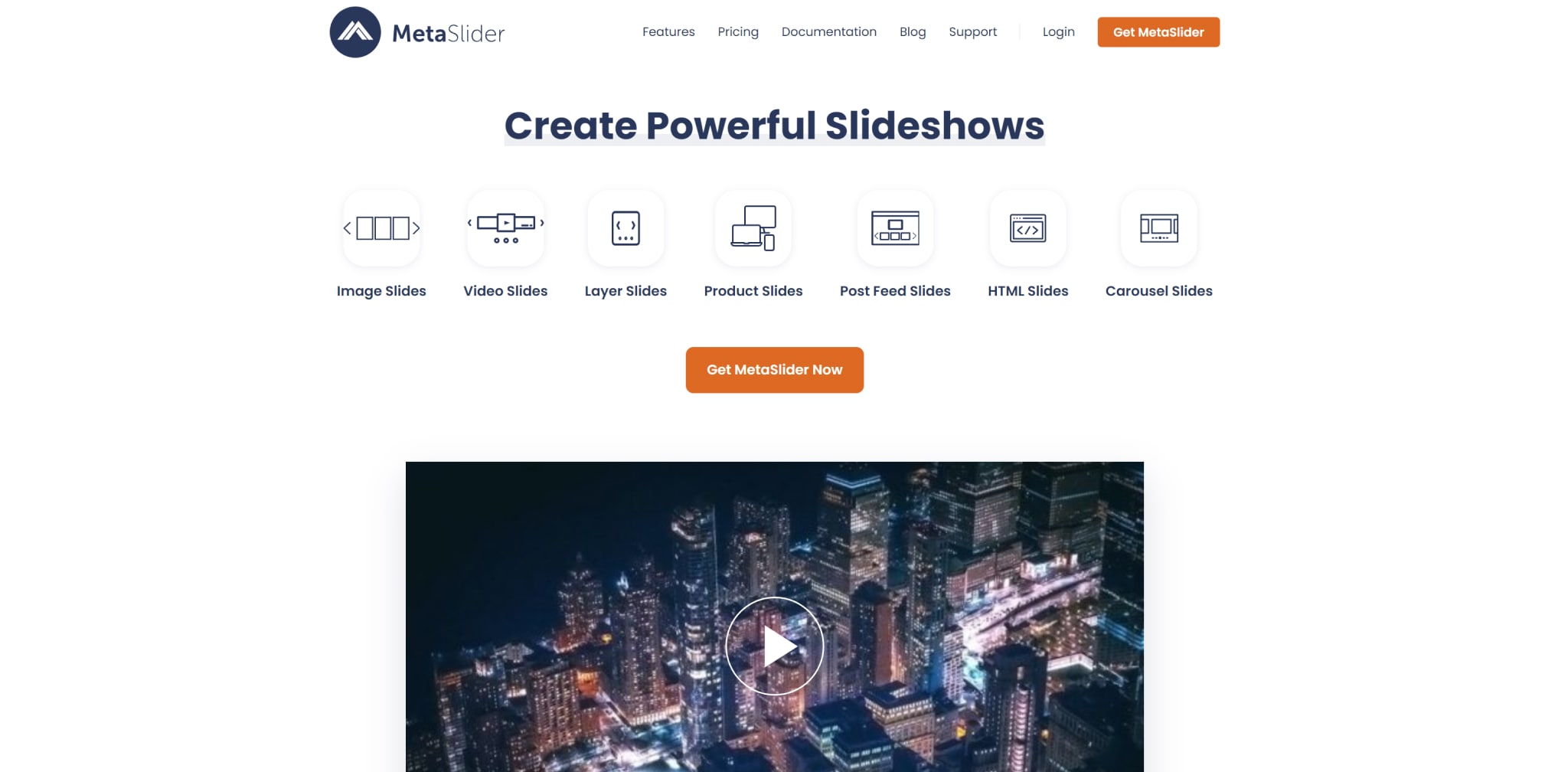
Meta Slider


Meta Slider is an incredibly popular WordPress plugin. The free version of the plugin offers a robust set of features for creating image sliders and carousels on WordPress sites. Users have four jQuery sliders to choose from, providing options to customize their sliders with different transition effects and themes. The user-friendly interface allows for easy slider creation by selecting images from the WordPress Media Library, dragging and dropping them into place, and setting slide captions, links, and SEO fields. Additionally, the live preview feature provides a convenient way to visualize the slider before publishing it.


For those looking to create a simple image slider, the free version of Meta Slider is more than sufficient. The drag-and-drop builder supports image sliders and carousels. It enables the use of images from the media library or Unsplash, a free stock photo library. The free version’s functionality, ease of use, and high-quality results make it a popular choice for individuals and businesses seeking to enhance the visual appeal of their WordPress sites.

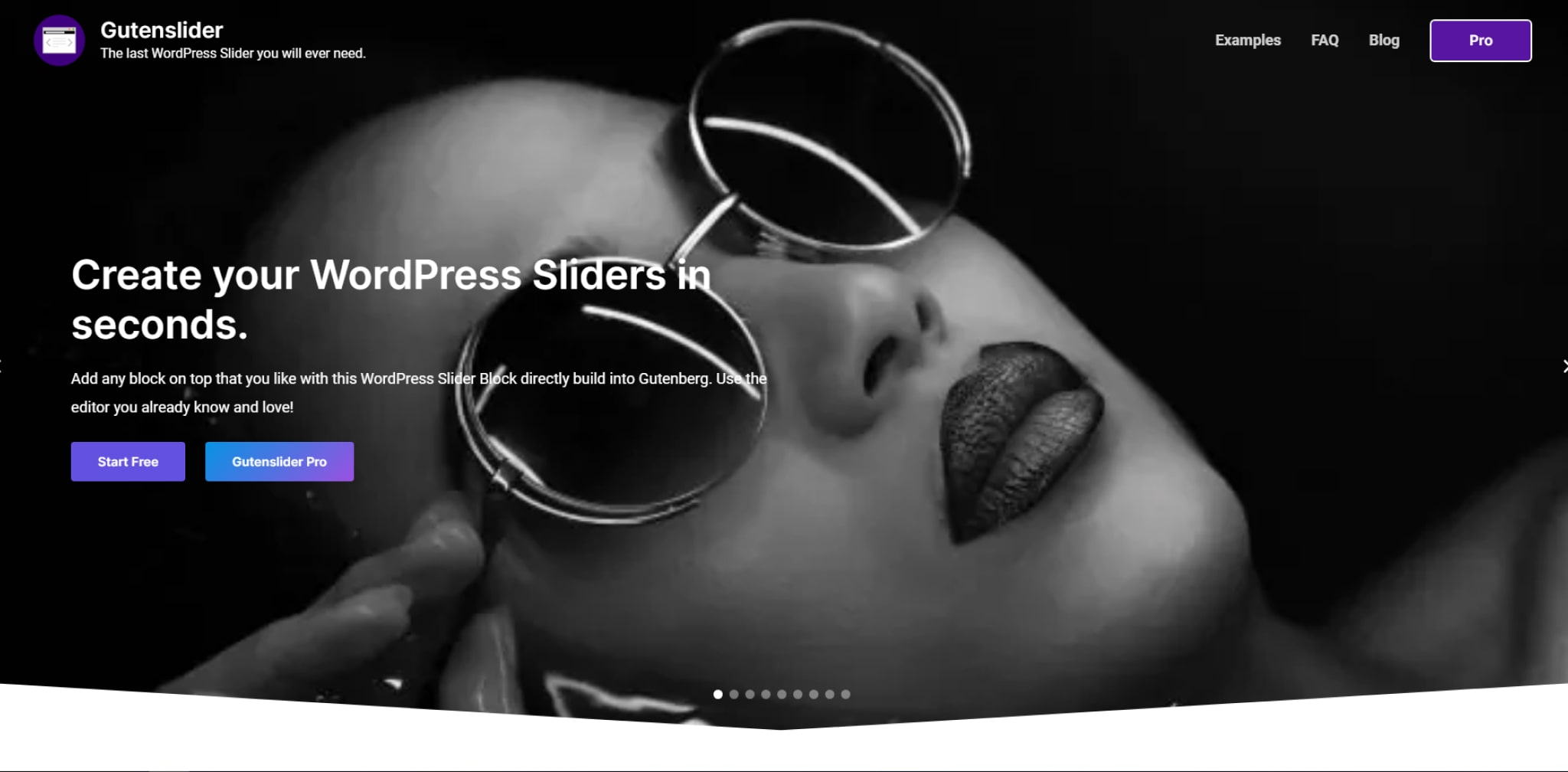
Gutenslider


Gutenslider is a versatile and user-friendly image and video slider plugin designed specifically for WordPress. With its simple and intuitive Gutenberg slider block, Gutenslider allows you to integrate captivating slideshows into your web pages seamlessly. Gutenslider stands out for its compatibility with the Gutenberg block editor, allowing easy slider management and customization in the familiar WordPress interface. This lightweight yet powerful slider offers numerous features, including unlimited slides, transition options, arrows, navigation dots, automatic captions, fullscreen support, and links. Furthermore, Gutenslider goes beyond traditional image sliders, enabling you to incorporate diverse content types. Its automatic slide synchronization feature and interactive slide creation tool further streamline the process of creating engaging and dynamic sliders. 


Conclusion


In conclusion, when it comes to selecting the best slider plugin for WordPress, there are several excellent options available. From the intuitive visual editor of Depicter to the robust functionalities of Smart Slider 3, and the performance-focused features of Master Slider. There is a wide range of choices to suit various website needs.

Whether you’re looking for seamless navigation, high customization, or developer-friendly platforms. These plugins offer valuable solutions for creating impactful and visually engaging sliders on WordPress websites.